The host tour

The room
behind the party.

Every number live, every guest one click away, and a shortlist of exactly who to poke next. This is where you'll spend twenty minutes a week for two months, and about four minutes on the night.

Who's comingWho's quietWho never opened itWho's driving Who's allergicWho's staying SundayWho owes you a photo Who's comingWho's quietWho never opened itWho's driving Who's allergicWho's staying SundayWho owes you a photo

Command centre

One screen that answers
every question you have.

Confirmed against capacity. Response rate. Who's never opened the link. A cumulative RSVP momentum curve so you can see whether the invitations are working. And a ranked "needs attention" list with a nudge button beside each name.
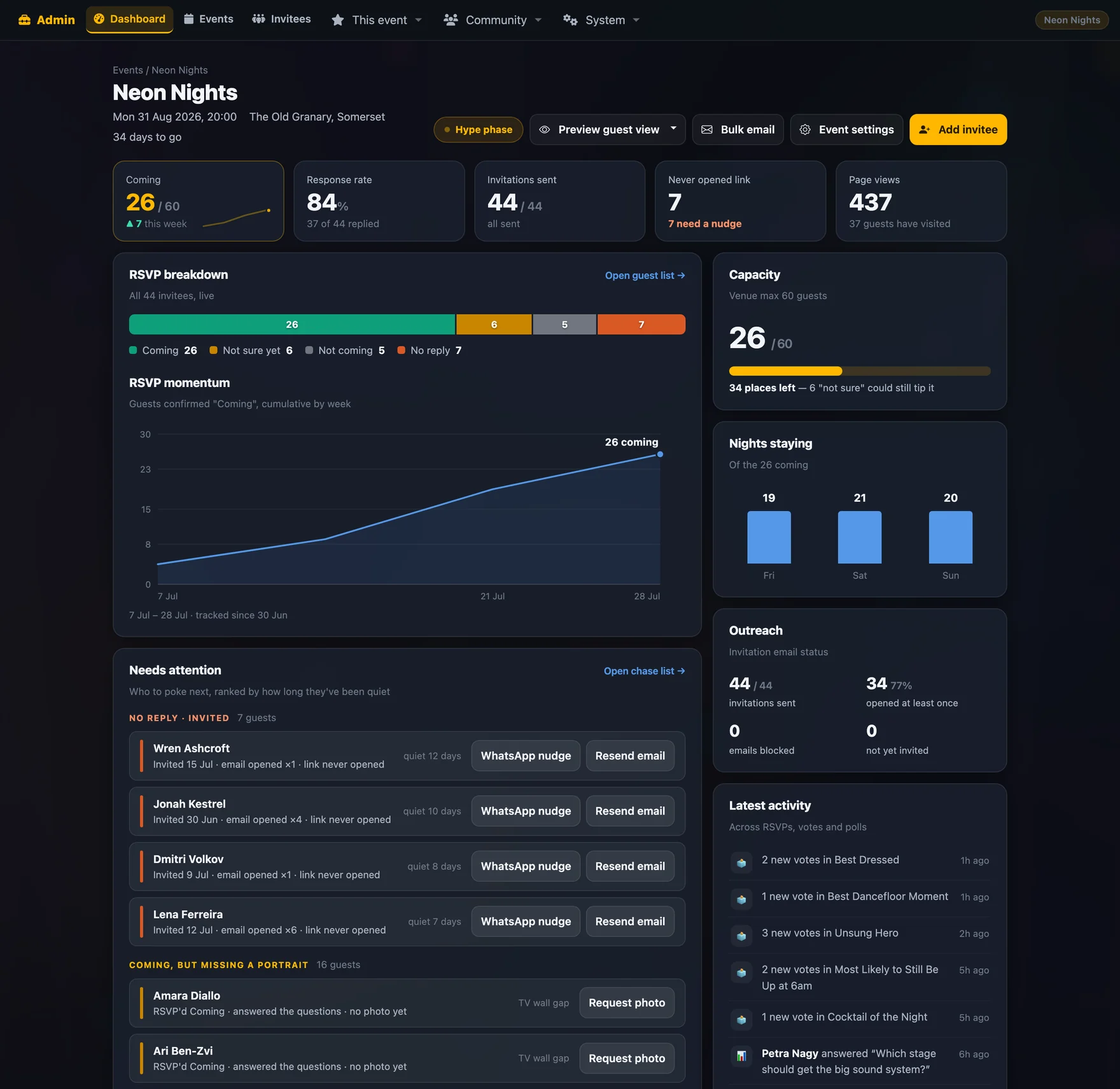
The event dashboard with KPI tiles, RSVP breakdown, momentum chart, chase list and activity feed
Event dashboard● live
Comingagainst venue capacity
Momentumcumulative, by week
Chase listranked by silence
Outreachsent · opened · blocked
Activityvotes, polls, RSVPs
The guest list

Built for chasing,
not for admiring.

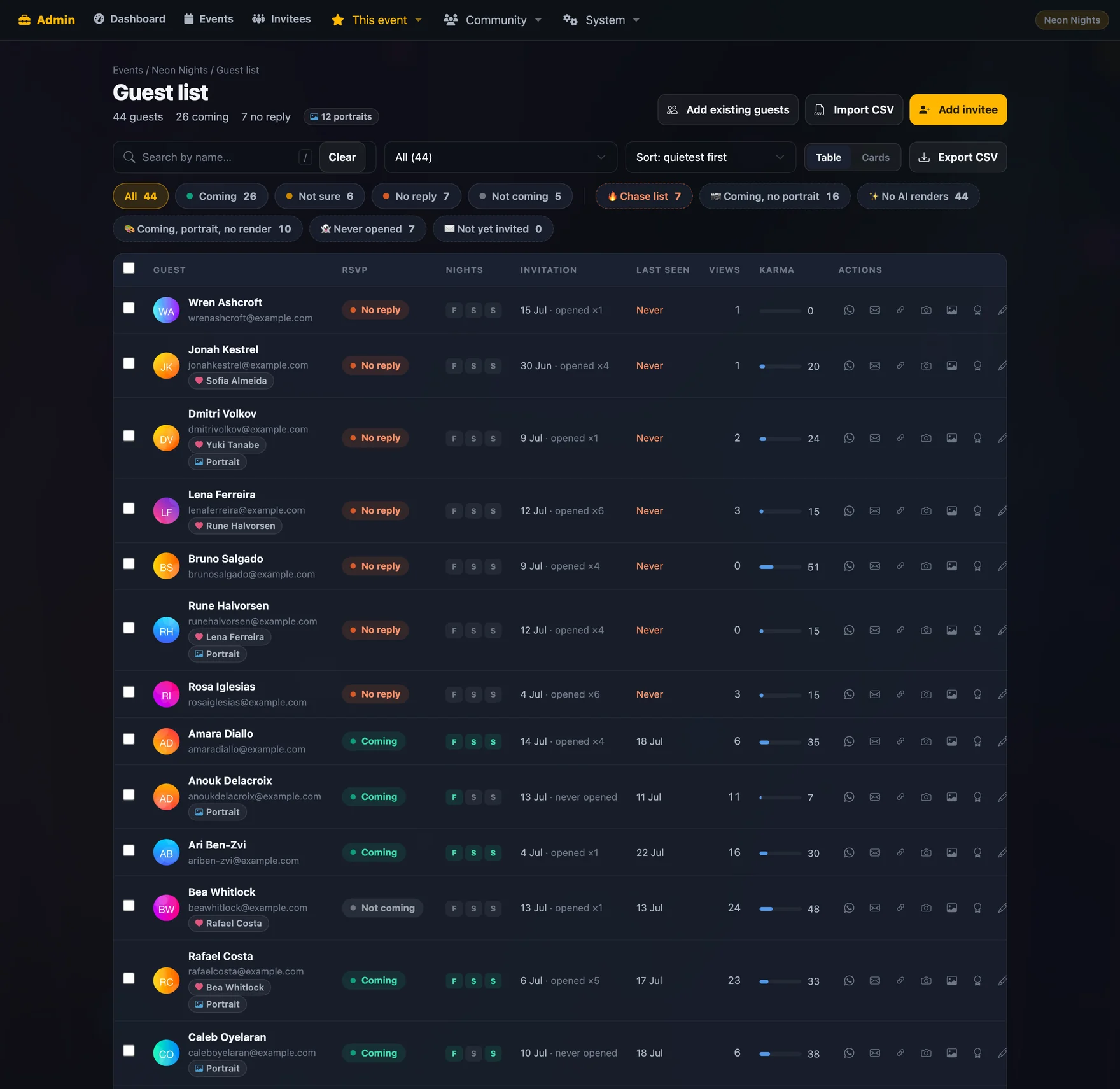
Table or cards. Filters for every slice you actually need — coming, unsure, no reply, never opened the invite, coming but no portrait, no AI render yet, not yet invited. Each row carries a WhatsApp button, an email button, a copy-link button and a photo upload.

The guest list with filter chips, RSVP pills and per-guest action buttons
Guest list · 44 guests, filteredhost view
Bulk actions
Select a group and send the WhatsApp invite to everyone who hasn't had one, nudge everyone who's gone quiet, or fire the post-RSVP welcome at everyone who's confirmed since you last looked.
Copy or send
Every template has both. Copy the message to paste it yourself, or send it directly — useful when you'd rather add a line of your own first.
Send-once protection
Templates marked send-once refuse a repeat and tell you why. Removing the guest's tag is the deliberate override.
Partner adjacency
Linked couples always render back-to-back, whatever the sort order, so you never invite half of one.
Per-guest RSVP editing
Fix a status by hand when someone tells you in person. Admin edits deliberately don't fire the automatic guest messages.
Export
CSV out, whenever you want it.

Running the games

Open it, watch it,
close it, publish it.

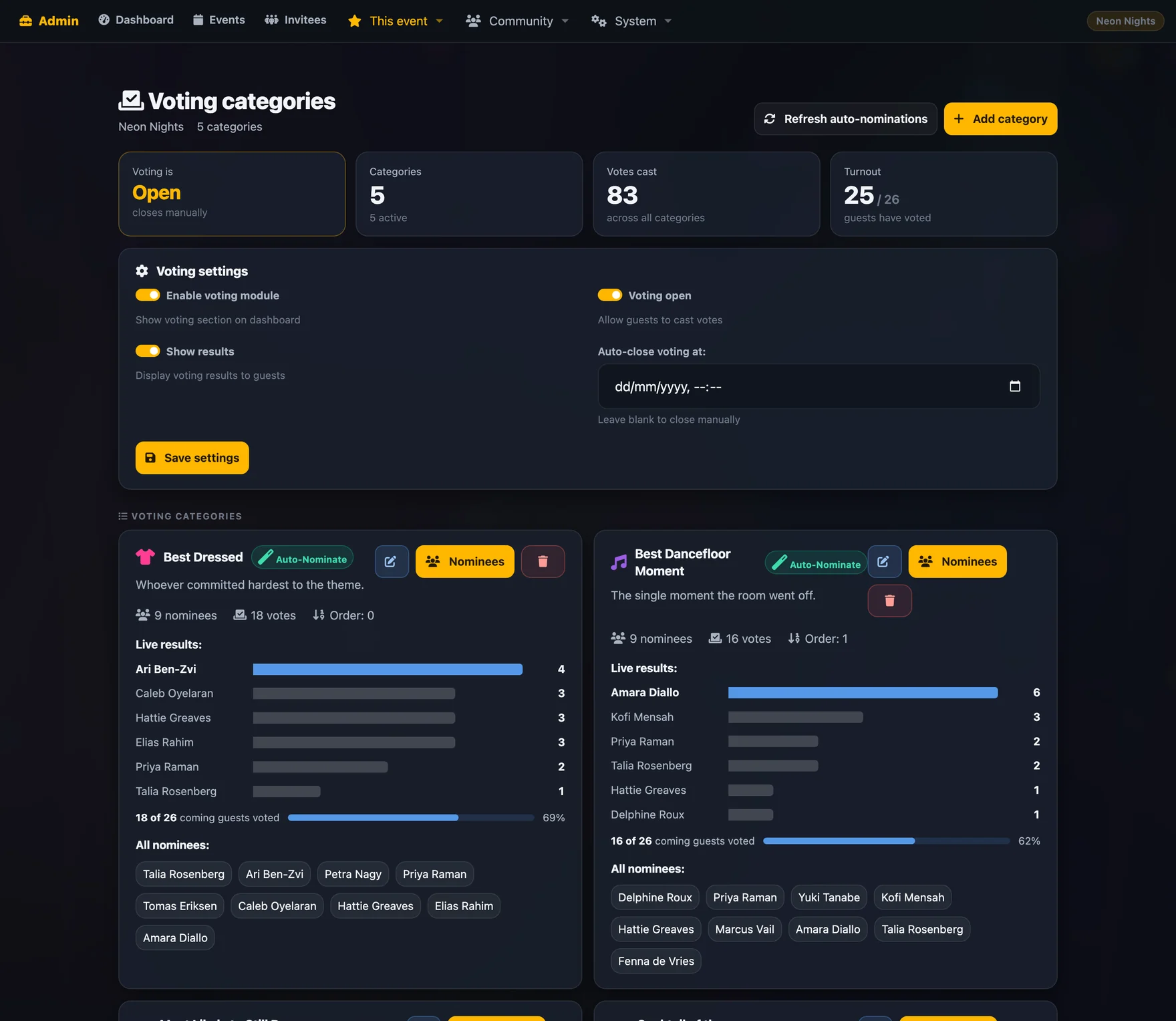
Voting admin with categories, nominations and live counts
Voting admin5 categories
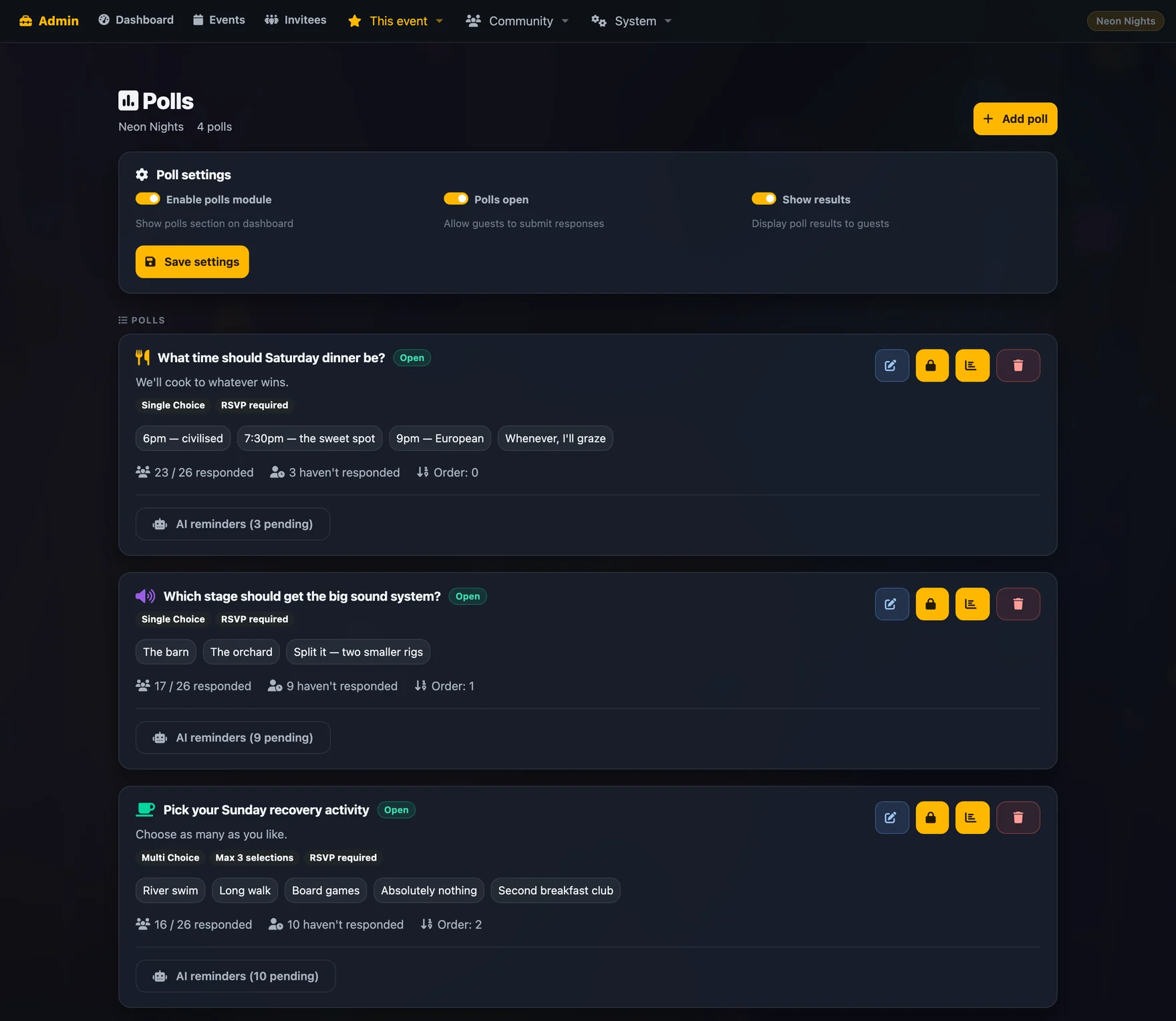
Poll admin with question list, response counts and controls
Poll admin4 live
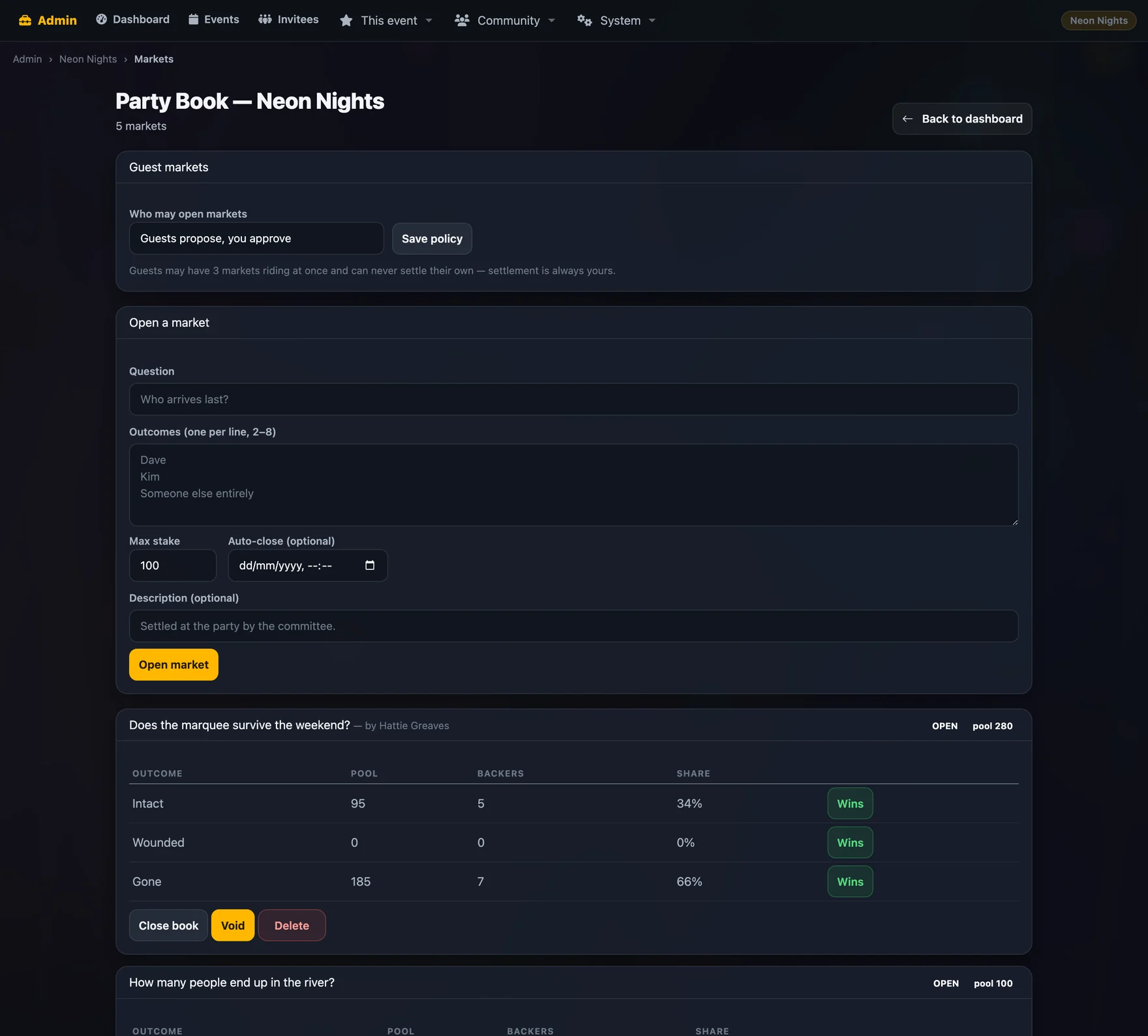
Party Book admin with markets, review queue and settlement controls
Party Book adminreview queue
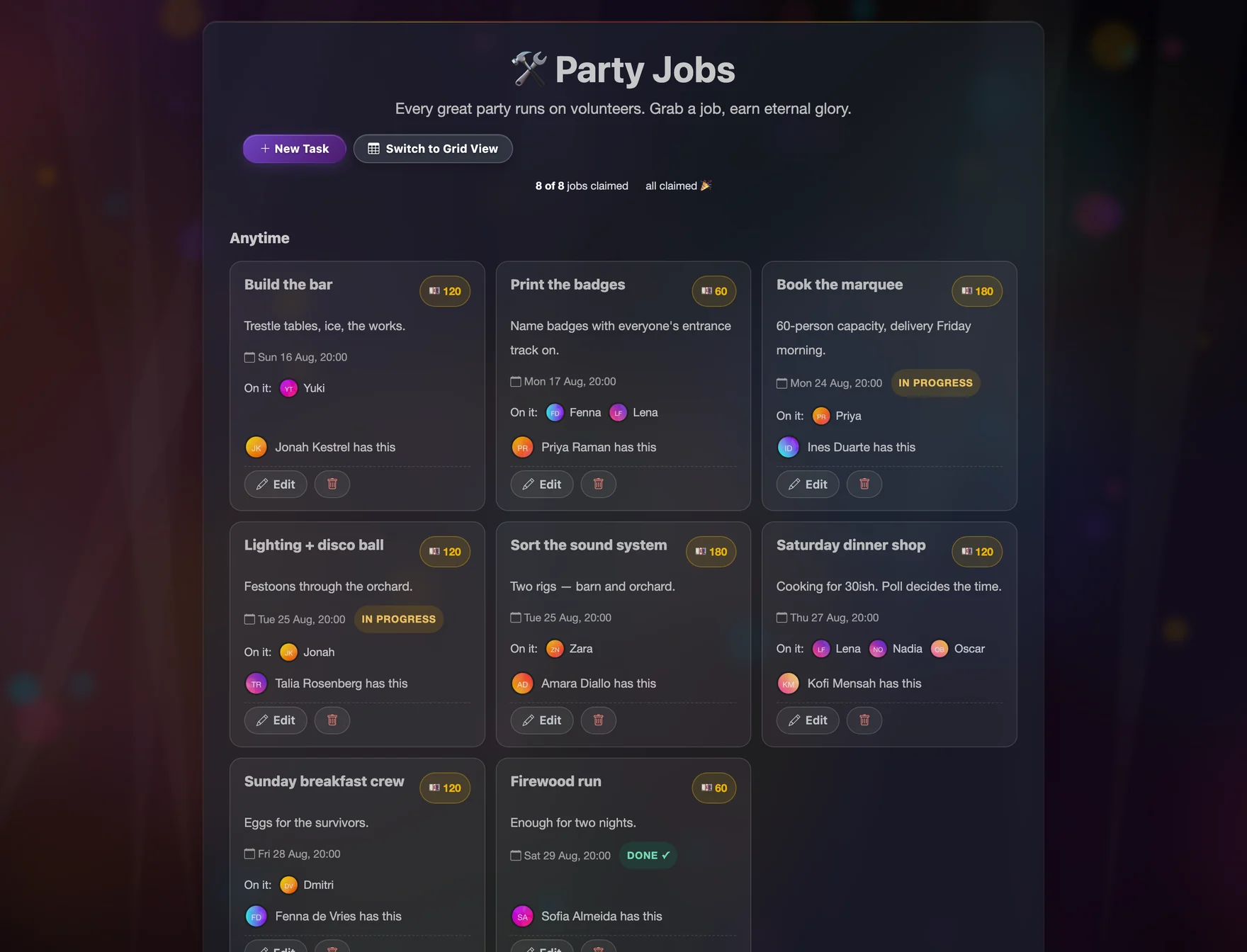
Jobs board admin with leaders, crews and statuses
Jobs board8 jobs
Voting
Create categories, auto-nominate everyone who's coming, add or hide individual nominees, watch counts live, publish results when you're ready, or clear the votes and run it again.
Polls
Any mix of question types, open and close on demand or on a timer, see exactly who hasn't answered, and send them a reminder — including one an AI drafts from the question.
The Party Book
Open house markets, approve or reject the ones guests propose, close betting, then settle — the pool splits itself. Settled markets become permanent karma ledger entries and can't be deleted.
Jobs
Create the work, assign a leader and a crew, set a budget and a due date, attach a plan document, and watch guests claim the rest.
Badges
Award from the guest list, from a guest's profile, or in bulk after the party. Notifications optional.
Karma weights
One screen, six numbers, applied everywhere retroactively.

On the night

Two screens and
then stop working.

The TV wall goes on a screen in the corner and looks after itself. The attendance list goes in your pocket. That's the whole job.

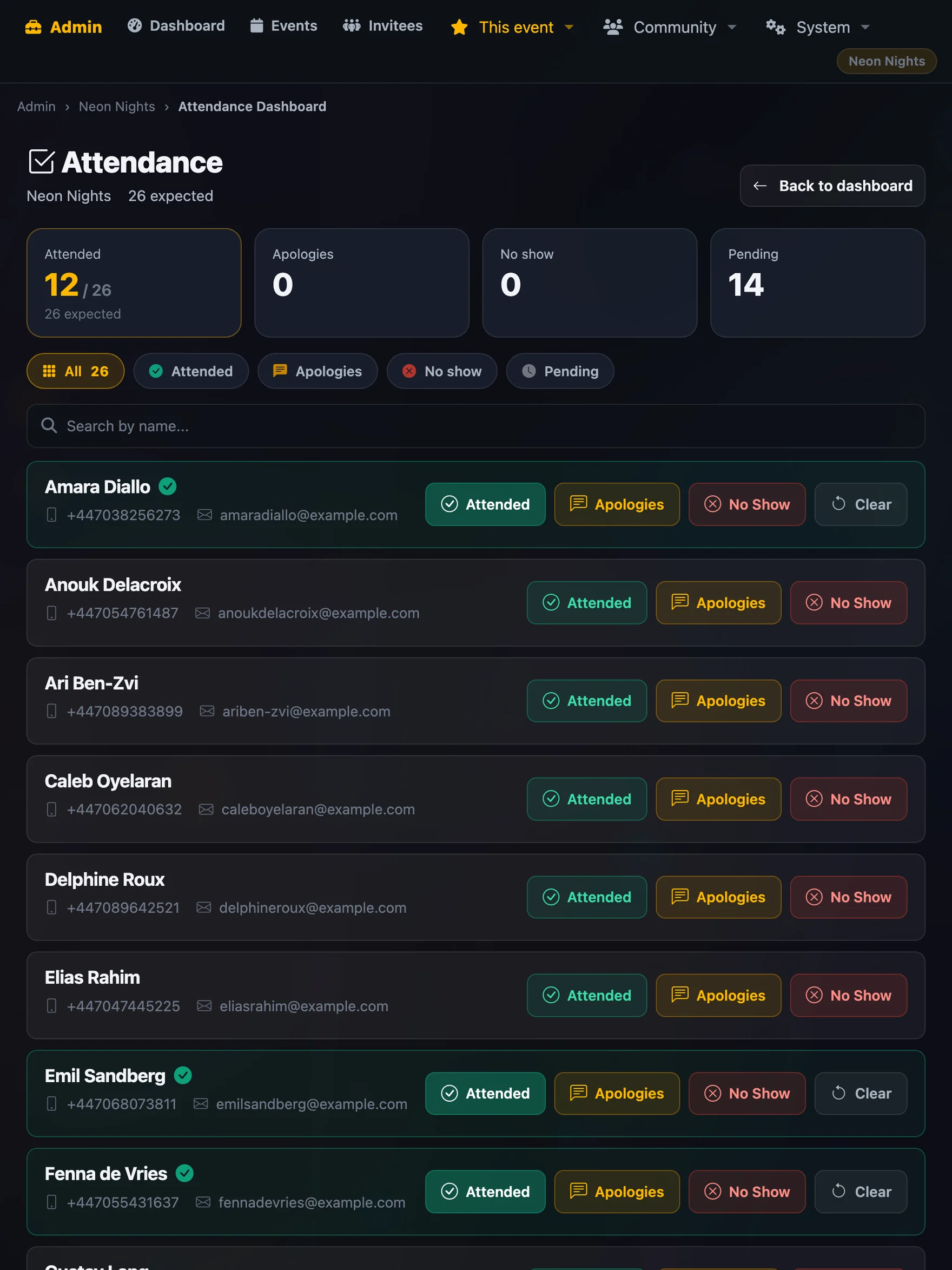
  • Attendance check-off — everyone who said they were coming, three taps each, live counts of attended, no-show and apologies.
  • The live wall — three rotating columns, nine saved layouts, OLED protection for a nine-hour night.
  • Photo album — batch upload the next morning, tag by guest and event afterwards, and every guest sees the ones they're in.
Attendance check-off screen sized for a phone
Attendance · at the doorphone

Setting one up

Six settings screens,
and none of them
are mandatory.

A new event works with a name and a date. Everything else is there when you want it, grouped so you're never scrolling through WhatsApp templates looking for the venue capacity.

General

Name, date, location, occasion, capacity, domain, contact numbers, group chat link and the invite lock.

RSVP form

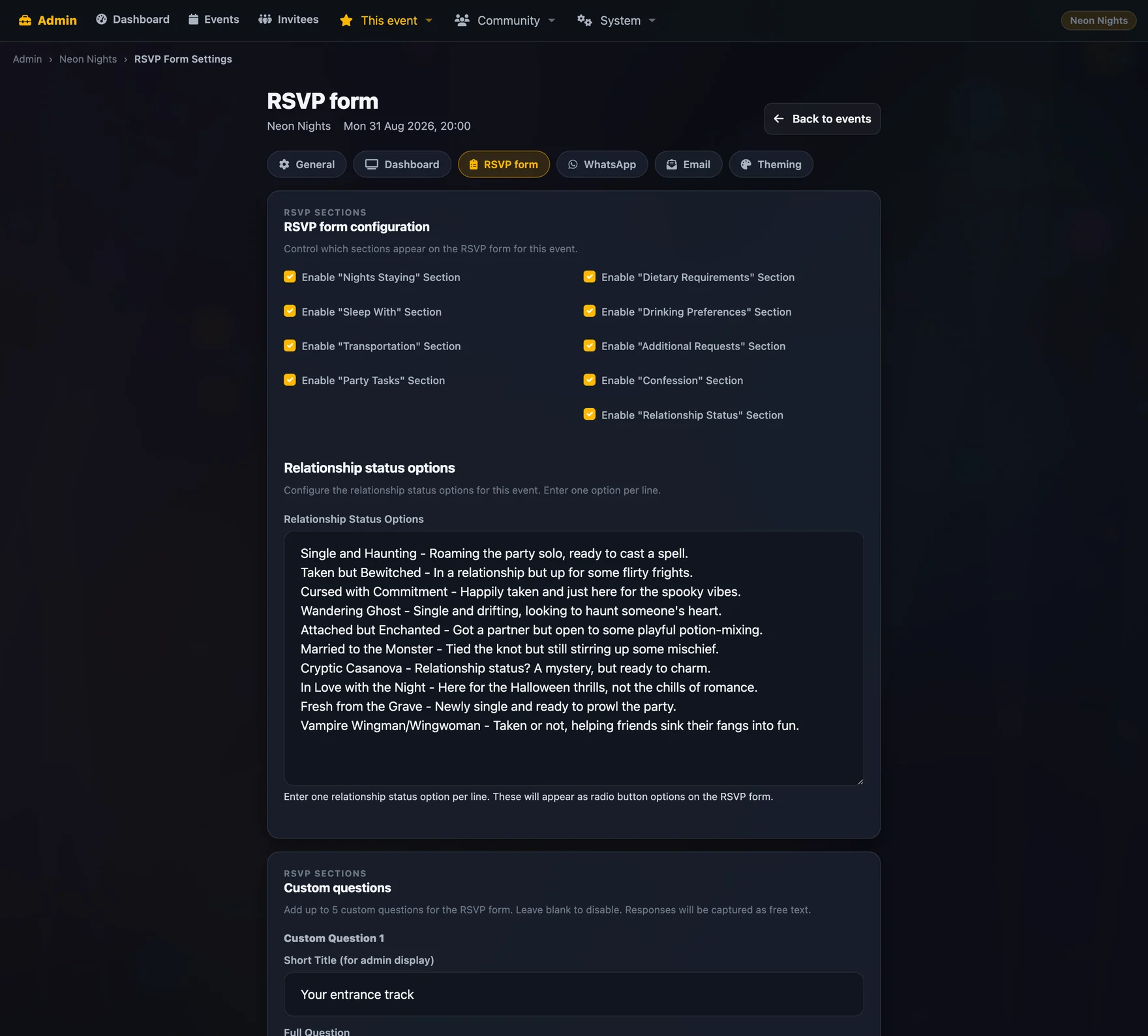
Which sections appear, your five custom questions, and the relationship-status option list.

Dashboard

Which tiles show, the photo carousel source, and the three TV wall columns.

Email

Five templates — invitation, magic links, reminder, no-reply, no-show — with previews.

WhatsApp

Nine templates, each with its own button title, plus the automatic post-RSVP welcome.

Theming

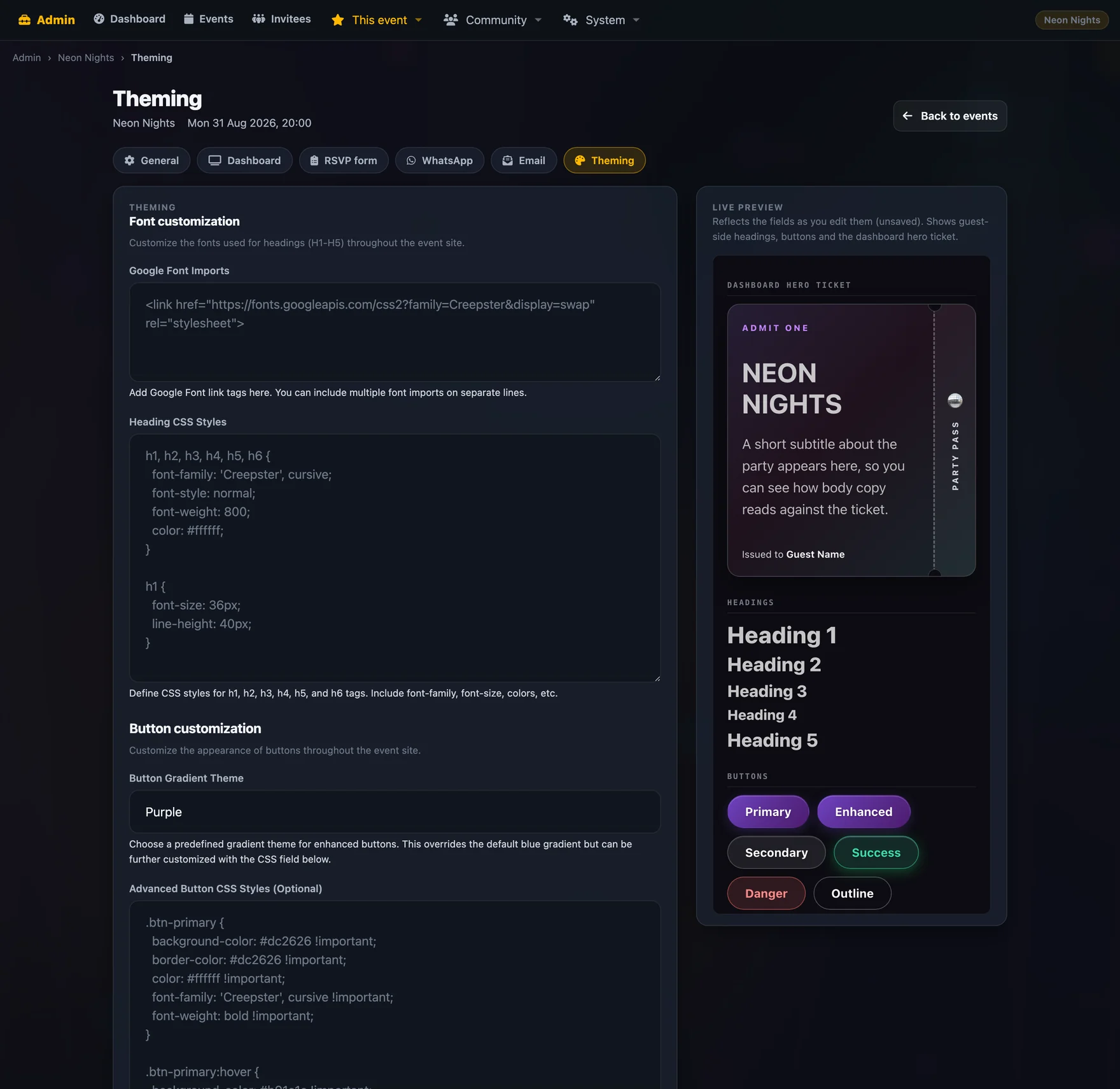
Hero treatment, background, fonts, heading and button CSS, and every piece of dashboard wording — with a live phone preview.

RSVP form settings with section toggles and custom questions
RSVP settingsper event
Theming settings with a live phone preview
Theminglive preview

Across parties

Nine parties in,
it gets easier
not harder.

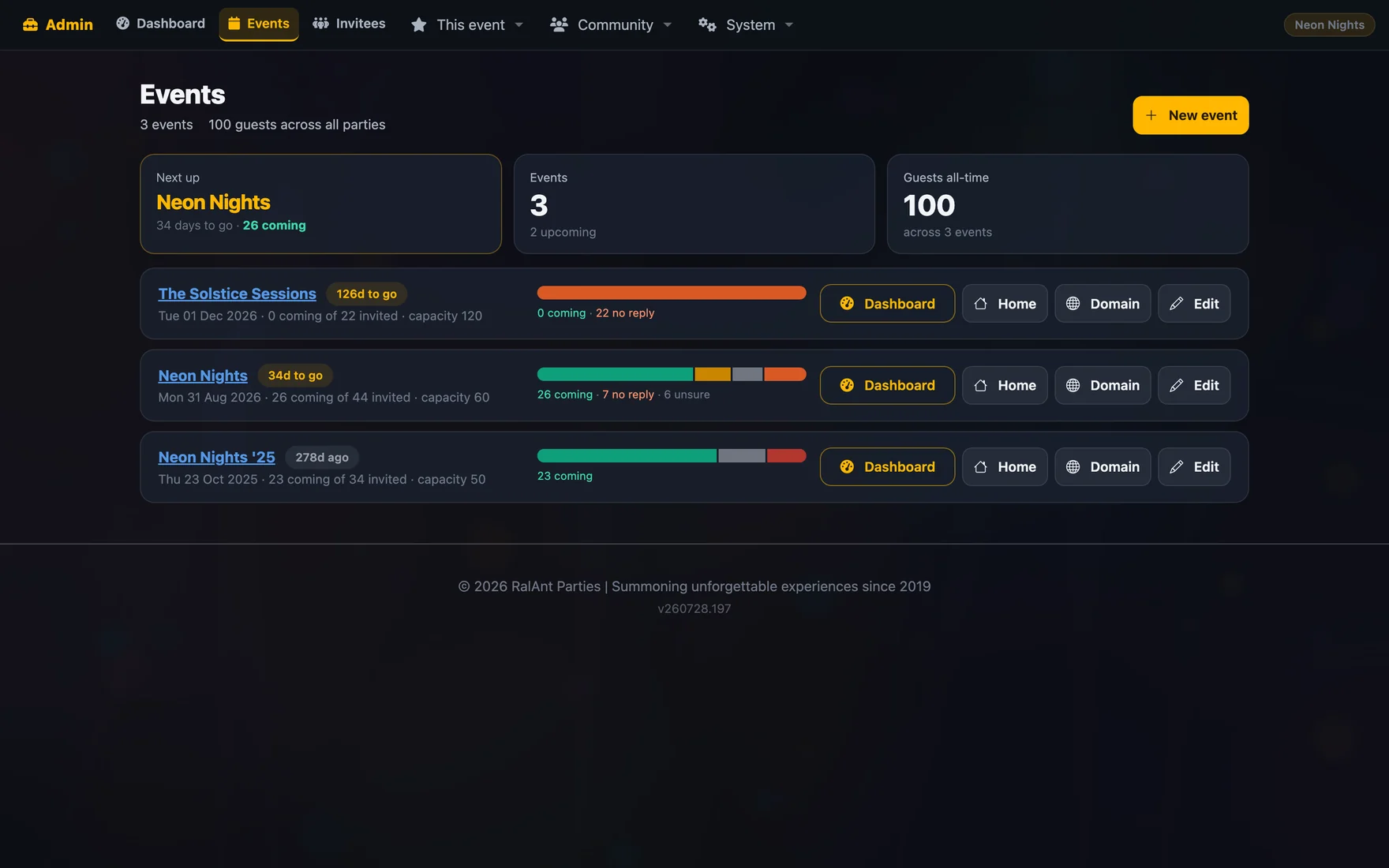
The events list is the top of the whole system: every party you've thrown, every RSVP split, and the guest book underneath it all. Start a new one by pulling people straight from the last one.

  • Each event on its own domain if you want it.
  • One guest book, so karma and history follow people forward.
  • A locked guest list while you're deciding, invisible to guests browsing your other parties.
  • Photos, badges and the leaderboard all span events by default.
Events list showing three parties with RSVP splits and next-up card
Events3 parties

Your move

Go and throw
a better party.