The guest tour

Nine taps
from invited
to obsessed.

Guests never make an account, never pick a password and never lose their link. Everything below is what one person sees, in the order they see it.

01 The message02 The RSVP03 The page04 The countdown 05 The vote06 The bet07 The night08 The trophy 01 The message02 The RSVP03 The page04 The countdown 05 The vote06 The bet07 The night08 The trophy

Step 01

A link with their
name on it.

The invitation arrives by email, WhatsApp, or both. Inside is a short personal link. Tapping it signs them in — on that phone, and on the laptop they open it on three weeks later.

  • No account. No password. No "check your inbox for a code".
  • Separate links straight to the RSVP, the dashboard, the leaderboard or the ballot, so a message can point at exactly the thing it's asking for.
  • Short codes short enough to sit inside a WhatsApp message without wrapping.
  • Sign in on one of your party domains and stay signed in on the next.
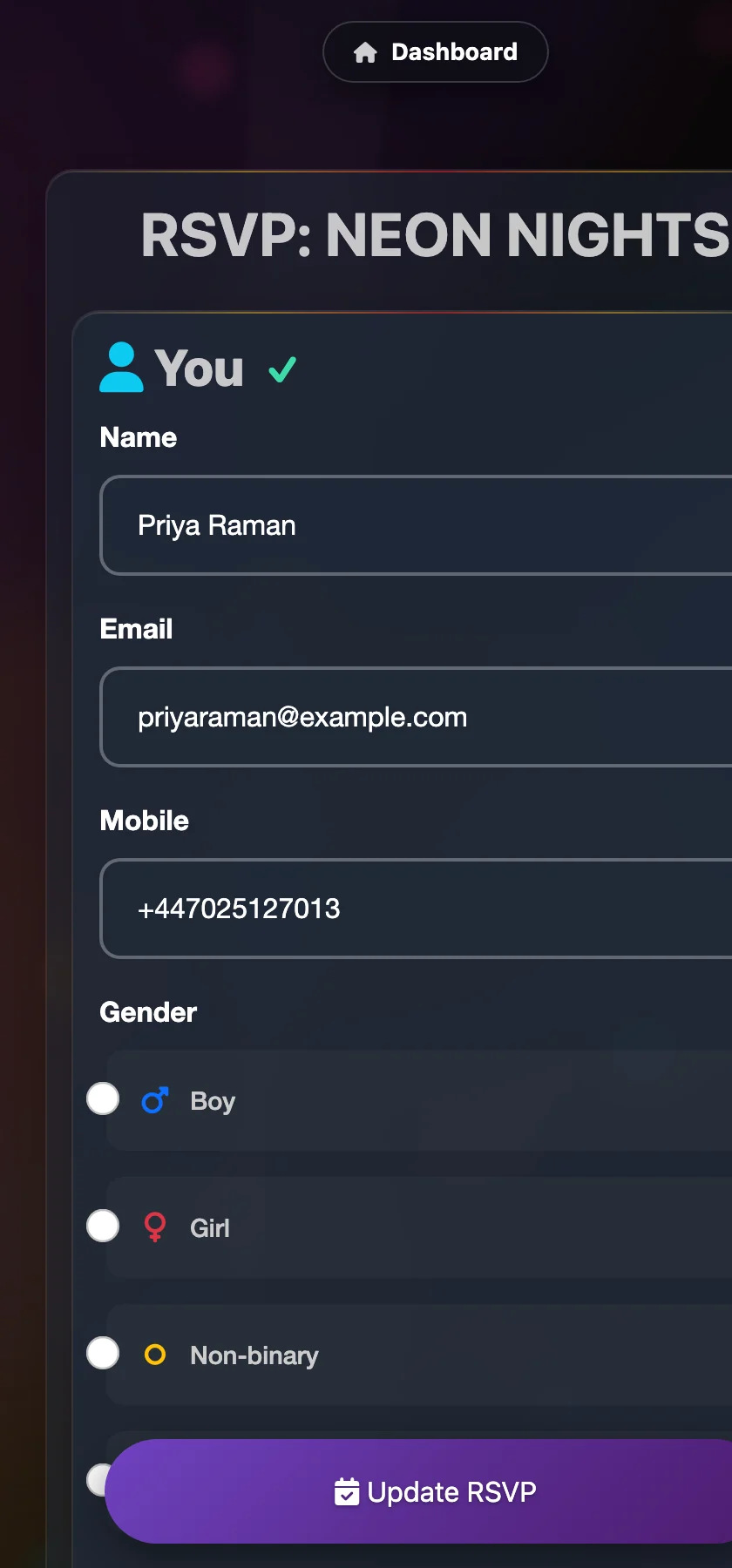
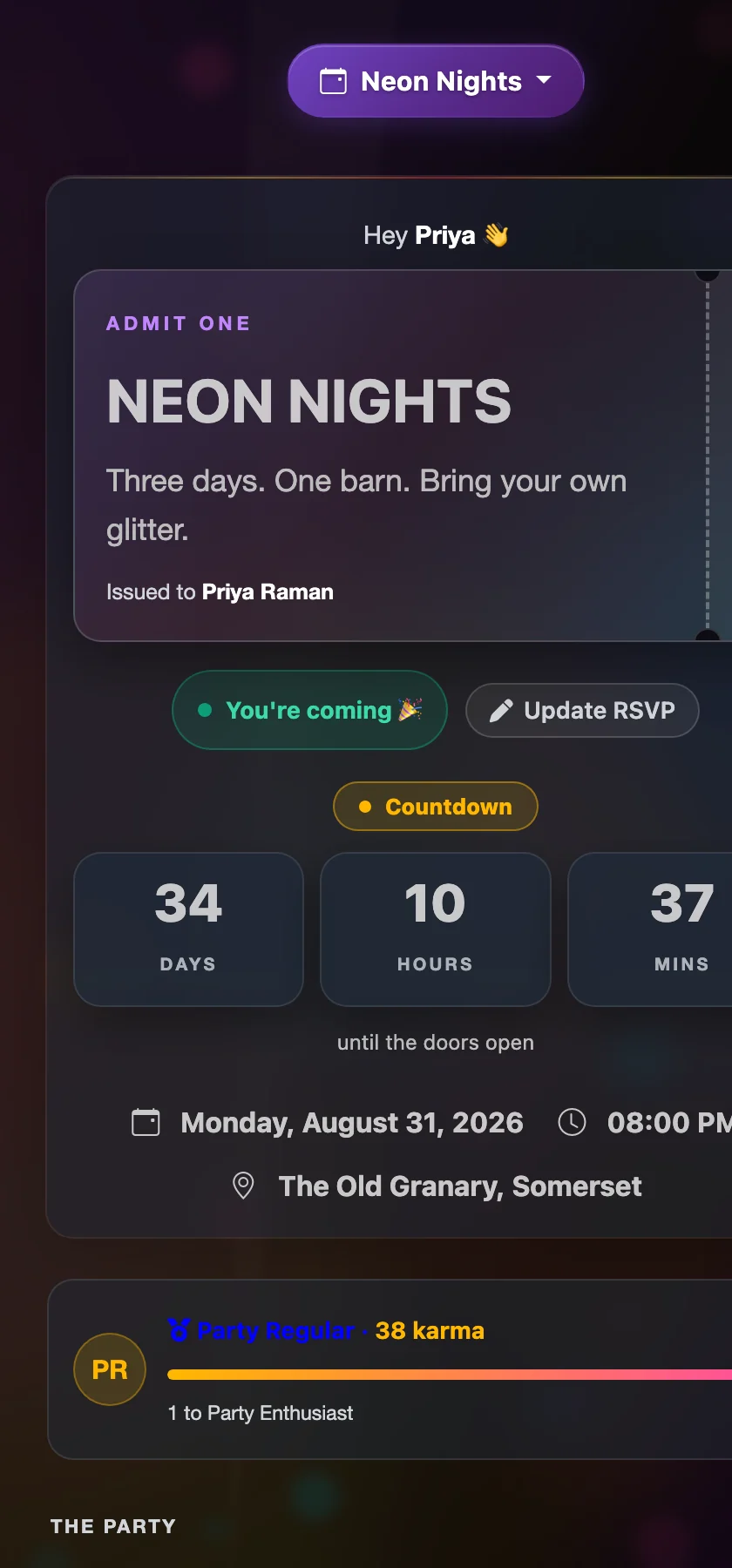
The RSVP form on a phone
On a phonewhere it's opened
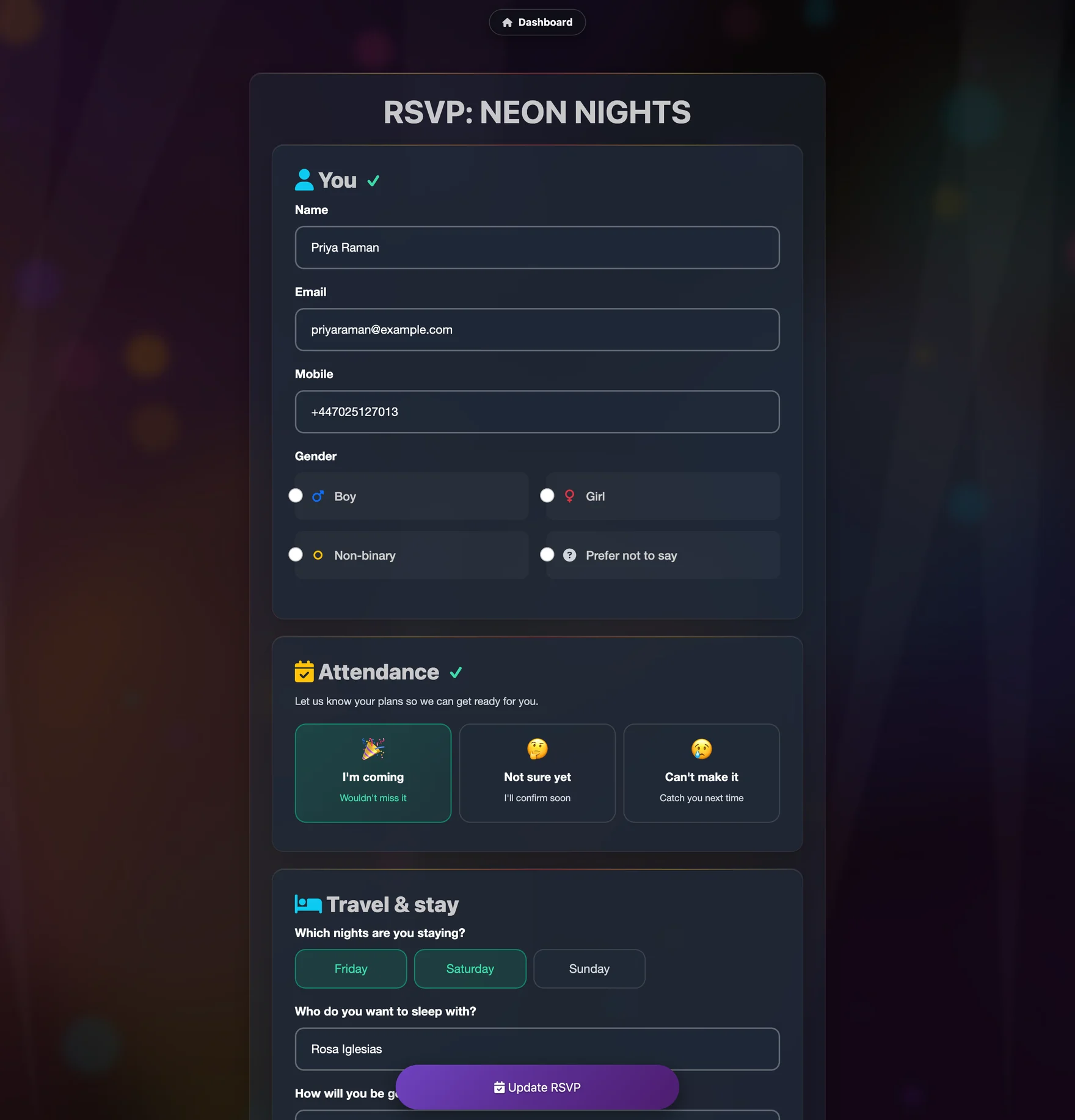
Full RSVP form with attendance, travel, dietary and custom questions
The RSVP formfully configurable

Step 02

An RSVP that
asks properly.

Three buttons at the top — coming, not sure, not coming — so the essential answer takes one tap. Everything below it is optional, and everything below it is the stuff you'd otherwise be asking for individually in eleven separate WhatsApp threads.

  • Drinks so you buy the right things.
  • Dietary needs including allergies, flagged loudly to the host.
  • Nights staying and travel, so beds and lifts sort themselves out.
  • Five custom questions — yours, not ours. Entrance track, best party they've been to, what skill they're bringing.
  • A confession box, anonymous, that shows up on the wall at 1am.

Answering earns karma. Confessing earns more. It is a genuinely effective way to get people to fill in a form.

Step 03

Then they land on
their own party page.

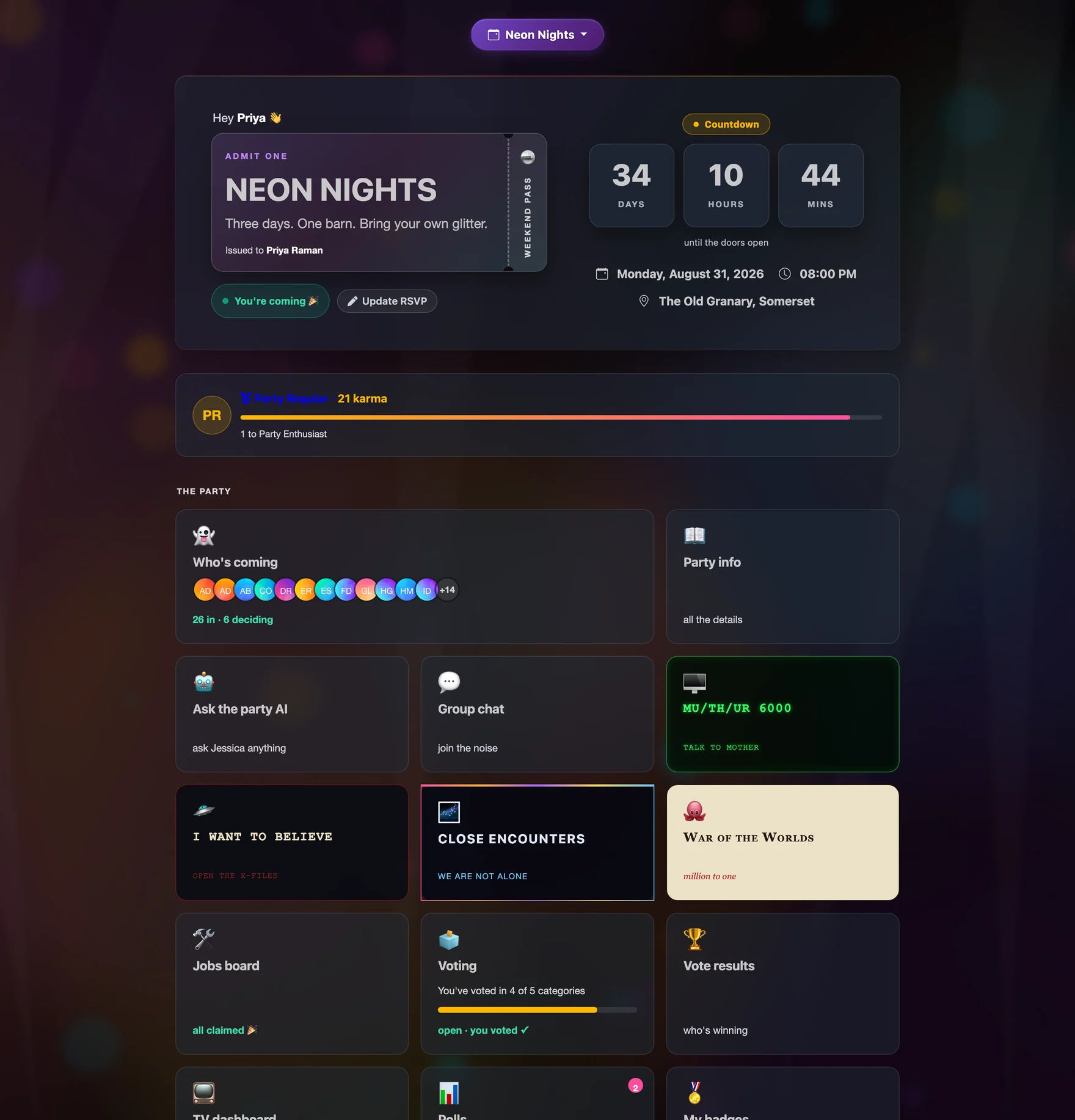
A ticket with their name on it. A countdown. Their karma and how far off the next rank they are. And a grid of tiles to everything the party has going on — only the tiles you turned on, in the wording you chose.

The guest dashboard with ticket, countdown, karma and tile grid
Guest dashboard · desktophype phase
The guest dashboard on a phone
Same page · phonewhere it lives

Step 04

The page changes
as the night gets closer.

Guests don't want the same page in June that they want at 1am in August. They don't get it.

Before

Countdown

Days, hours and minutes. Who's coming so far. Info pages that unlock on your schedule. A nudge if they still haven't RSVP'd.

On the night

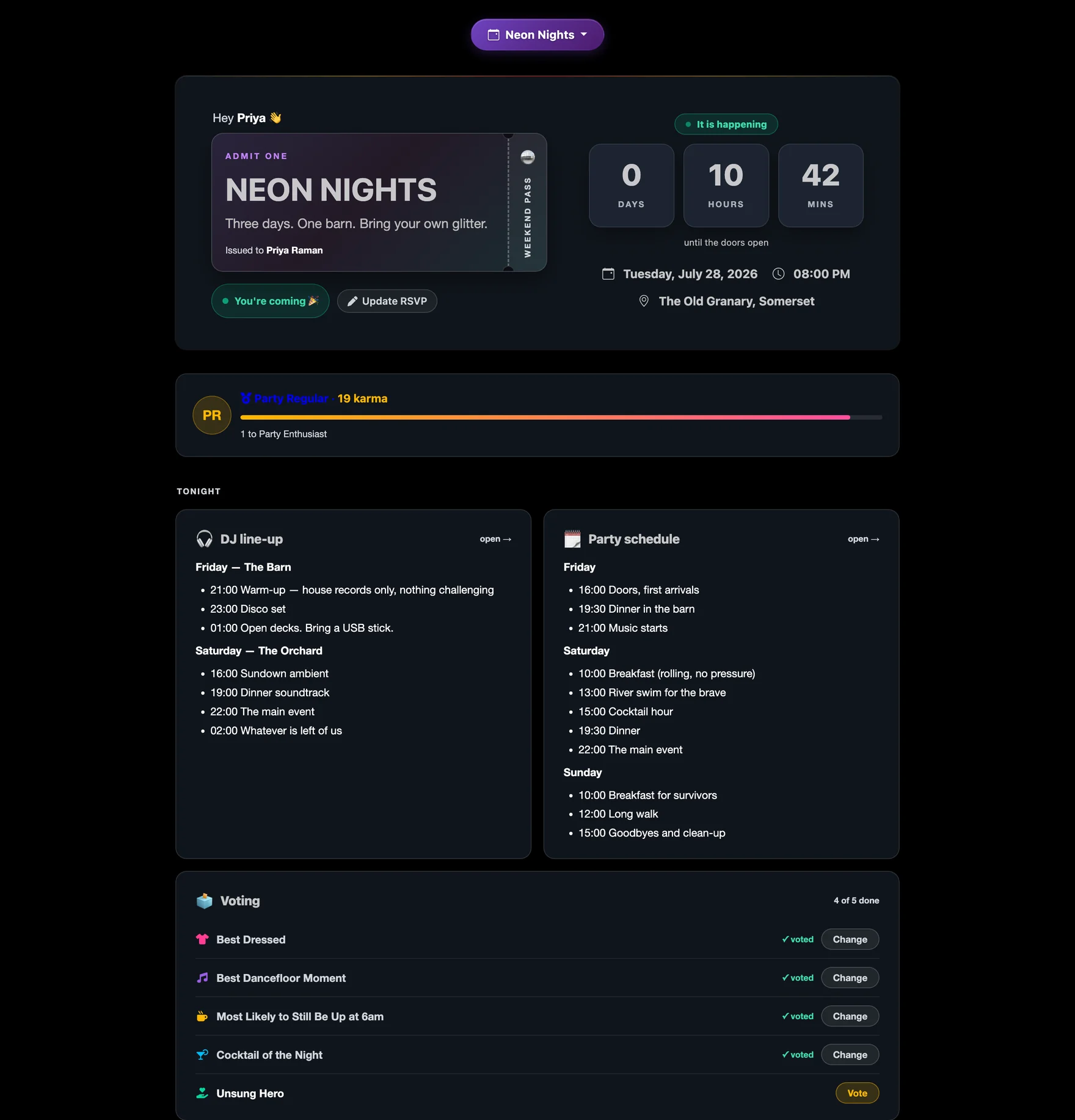
Tonight

A "Tonight" section appears above everything else with the DJ line-up and running order rendered inline, plus a one-tap voting panel. No hunting through menus at 2am.

After

Afterglow

The countdown becomes "days since". Results open. Photos appear. Badges land. The whole page turns into a souvenir.

The dashboard on the night, with the line-up and schedule inline
Party day · the Tonight sectionself-scheduling

Step 05

Then they start
competing.

Voting, polls and bets. None of it is compulsory, all of it is the reason people open the page eleven times in a week.

Awards

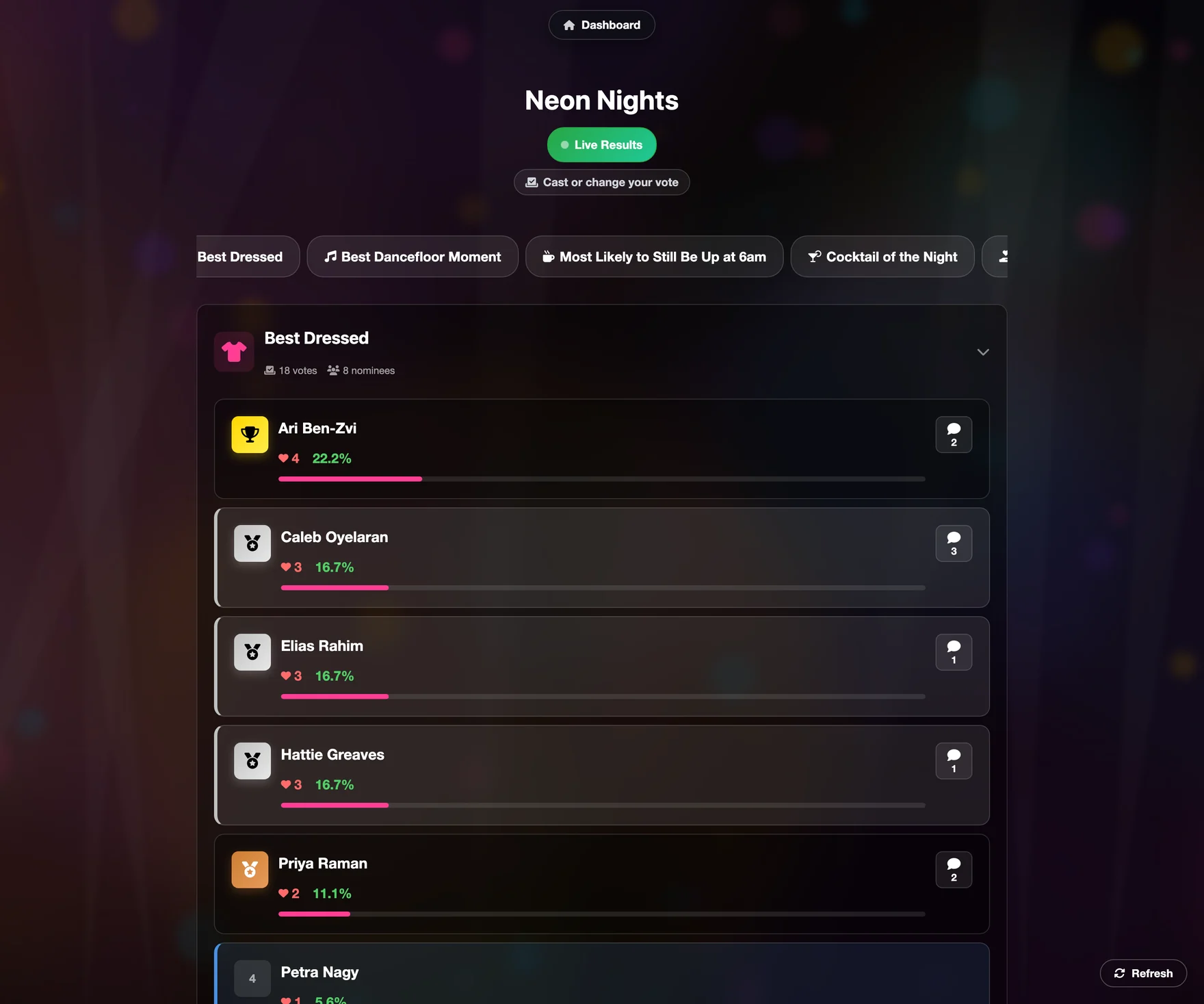
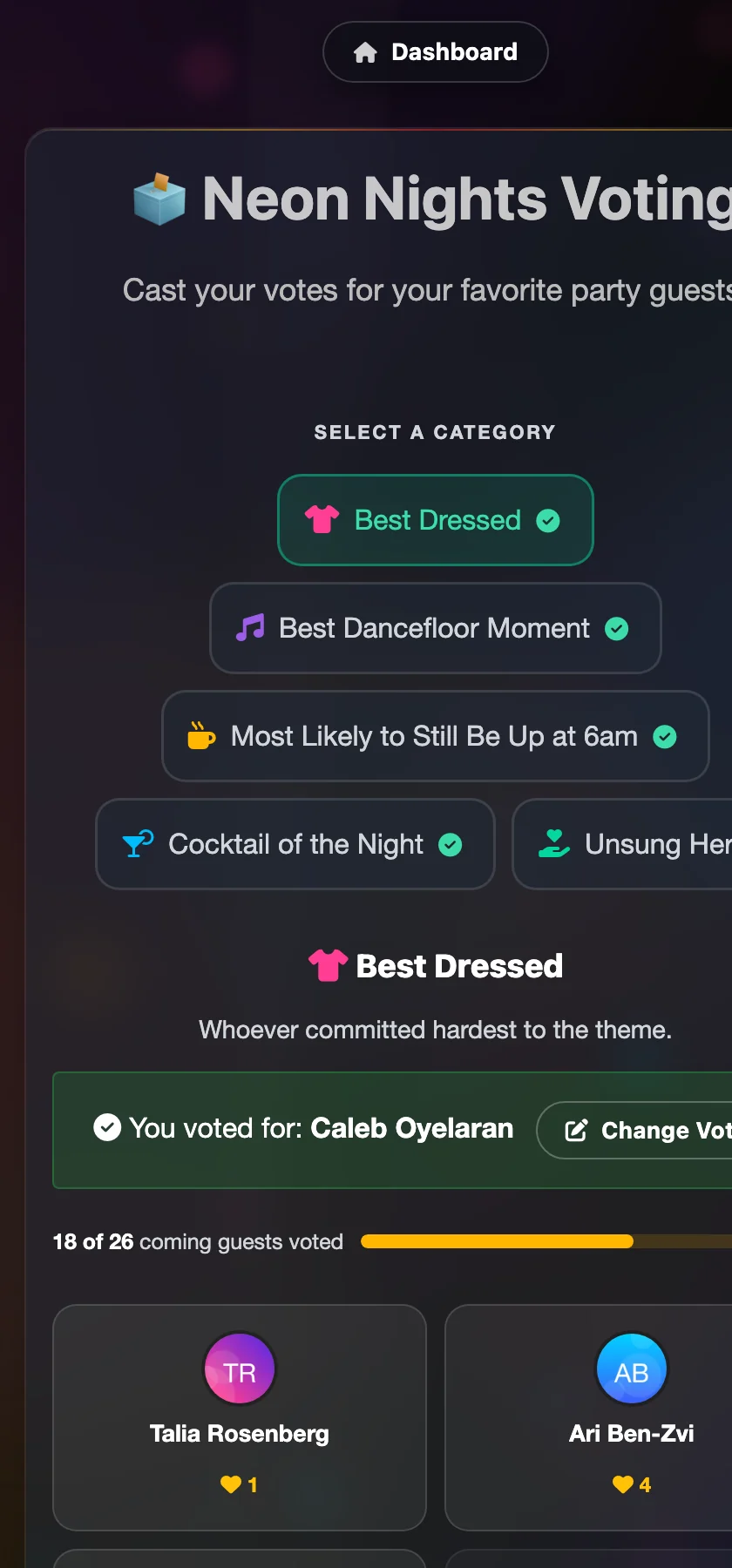
Best dressed. Best dancefloor moment. Most likely to still be up at 6am. One vote per category, and a cheer message to go with it — which ends up on the TV wall beside the person they voted for.

Polls

What time should Saturday dinner be? Which stage gets the big rig? Single choice, multiple choice, or free text — anonymous if the question deserves it.

The Party Book

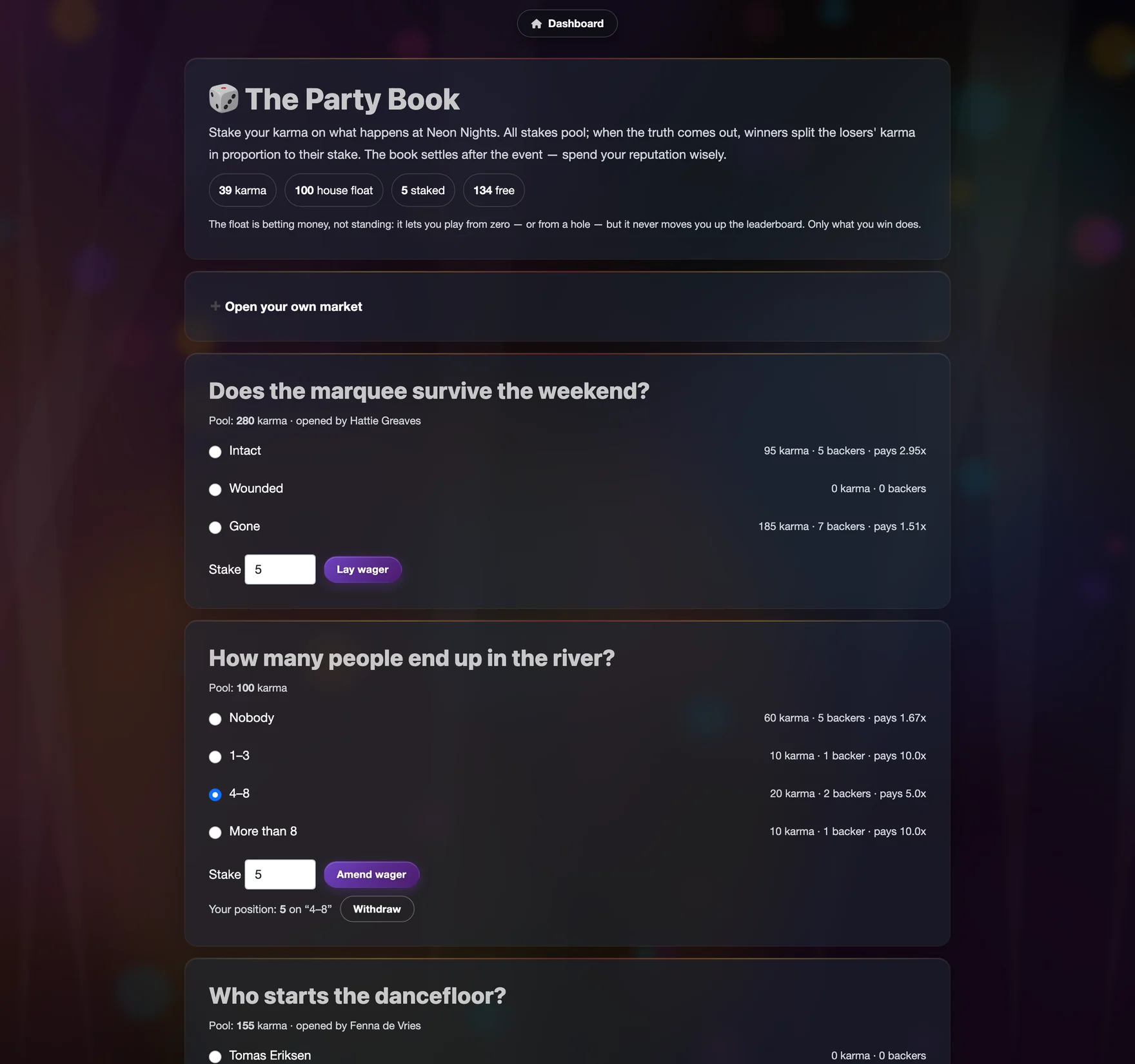
Guests stake karma on how the night will go, and the winners split the losers' pool. They can open their own markets too, if you let them.

Live vote results with vote counts and cheer messages
Resultslive
The Party Book with open markets and staked karma
The Party Bookpari-mutuel
Voting on a phone, category picker and nominee cards
Voting, on a phoneone tap

Step 06

And they start helping.

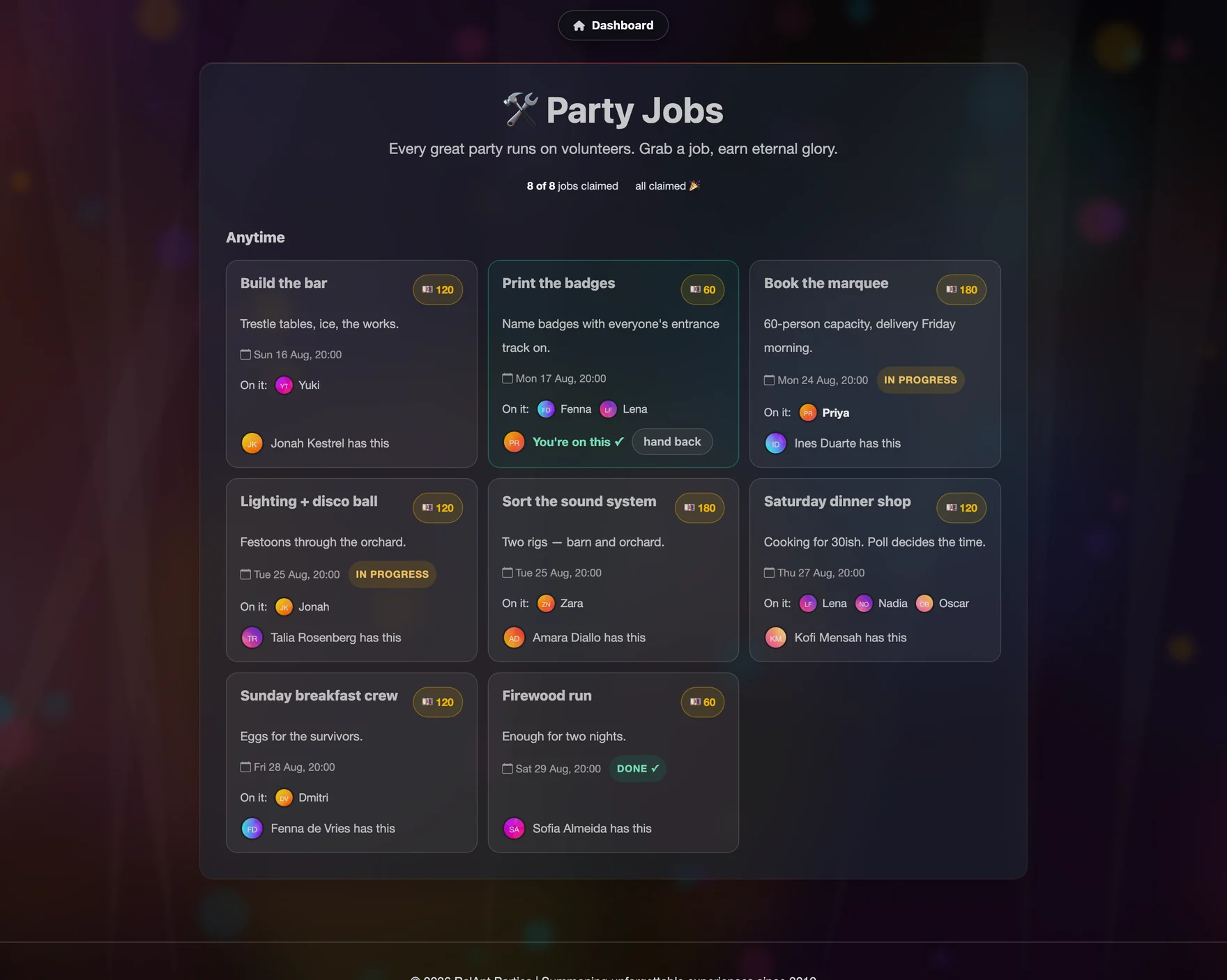
A jobs board anyone can claim from. Firewood run, build the bar, Sunday breakfast crew. Each job has a leader and a crew, and guests put themselves on it without being asked twice.

The party jobs board
Jobs boardself-serve

Step 07

And they read the numbers.

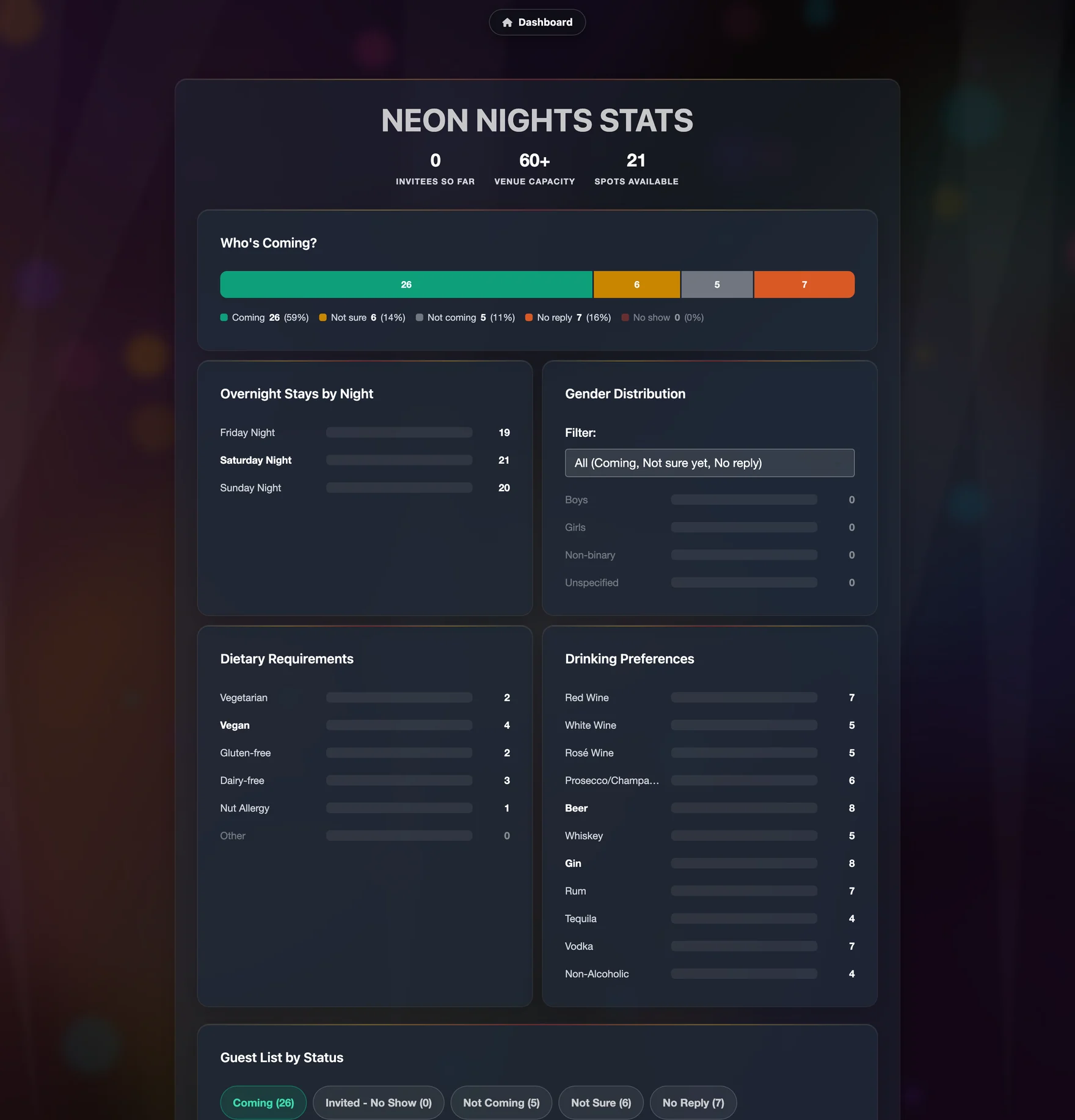
A statistics page guests can see: how the RSVPs split, which nights are busiest, the dietary spread, the drinks order, and everyone's answers to your questions.

Guest-facing party statistics page
Party statisticsguest view

Step 08

Then the party ends,
and the good part starts.

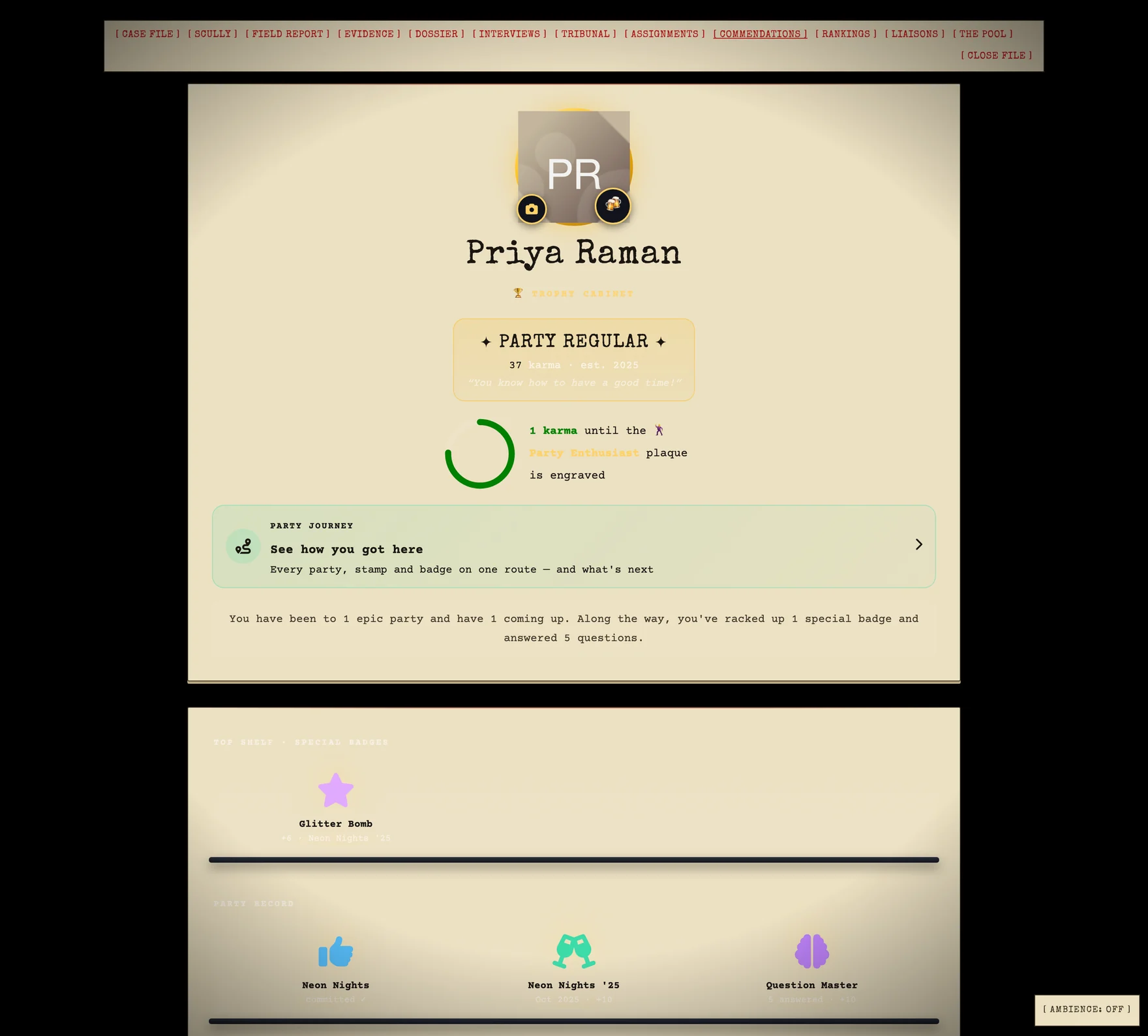
Badges are awarded. Karma settles. Bets pay out. And every guest has a trophy cabinet and a Party Journey that carries across every party you've ever thrown — which is exactly what makes the next invitation land differently.

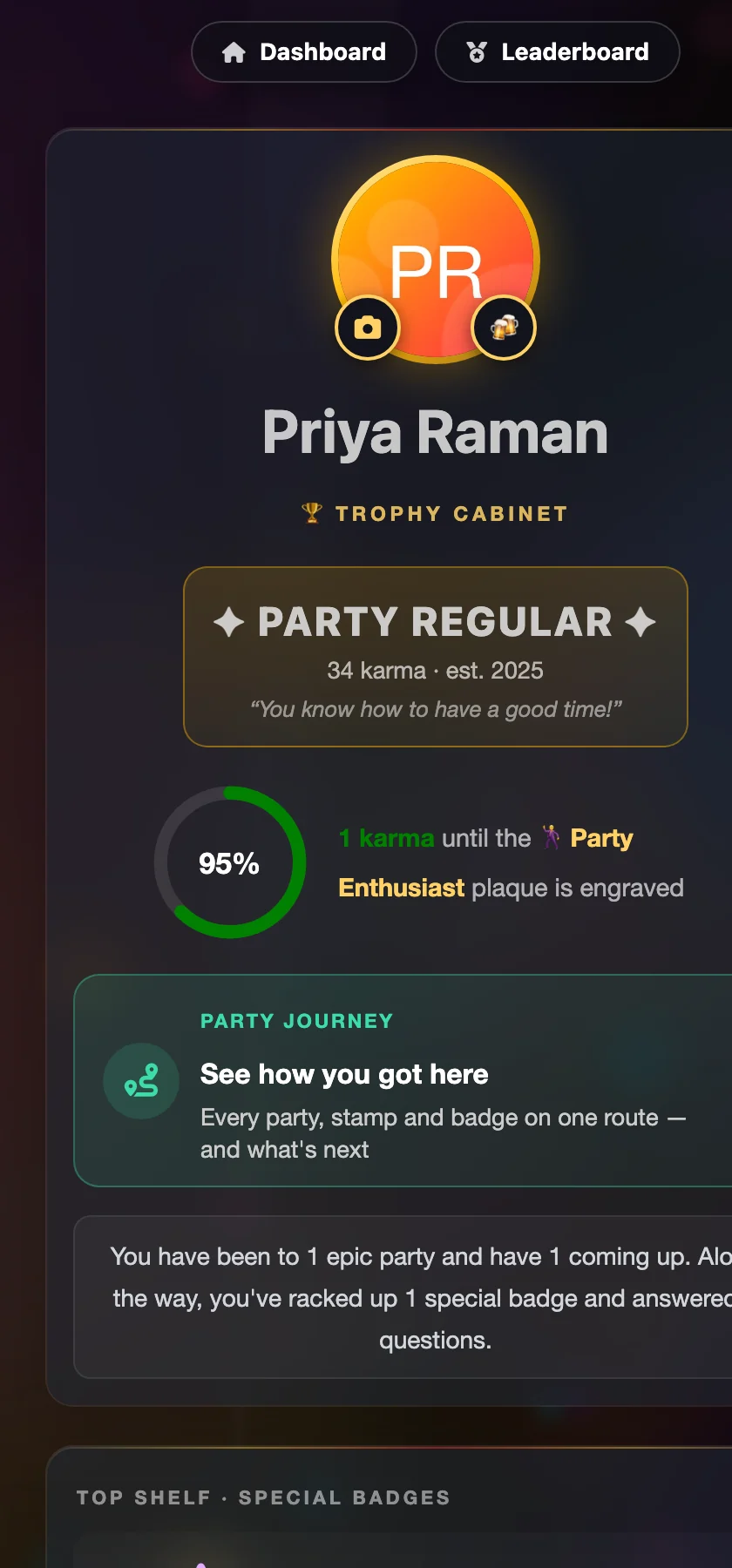
  • Trophy cabinet — rank, karma, badges, and the photos they're tagged in.
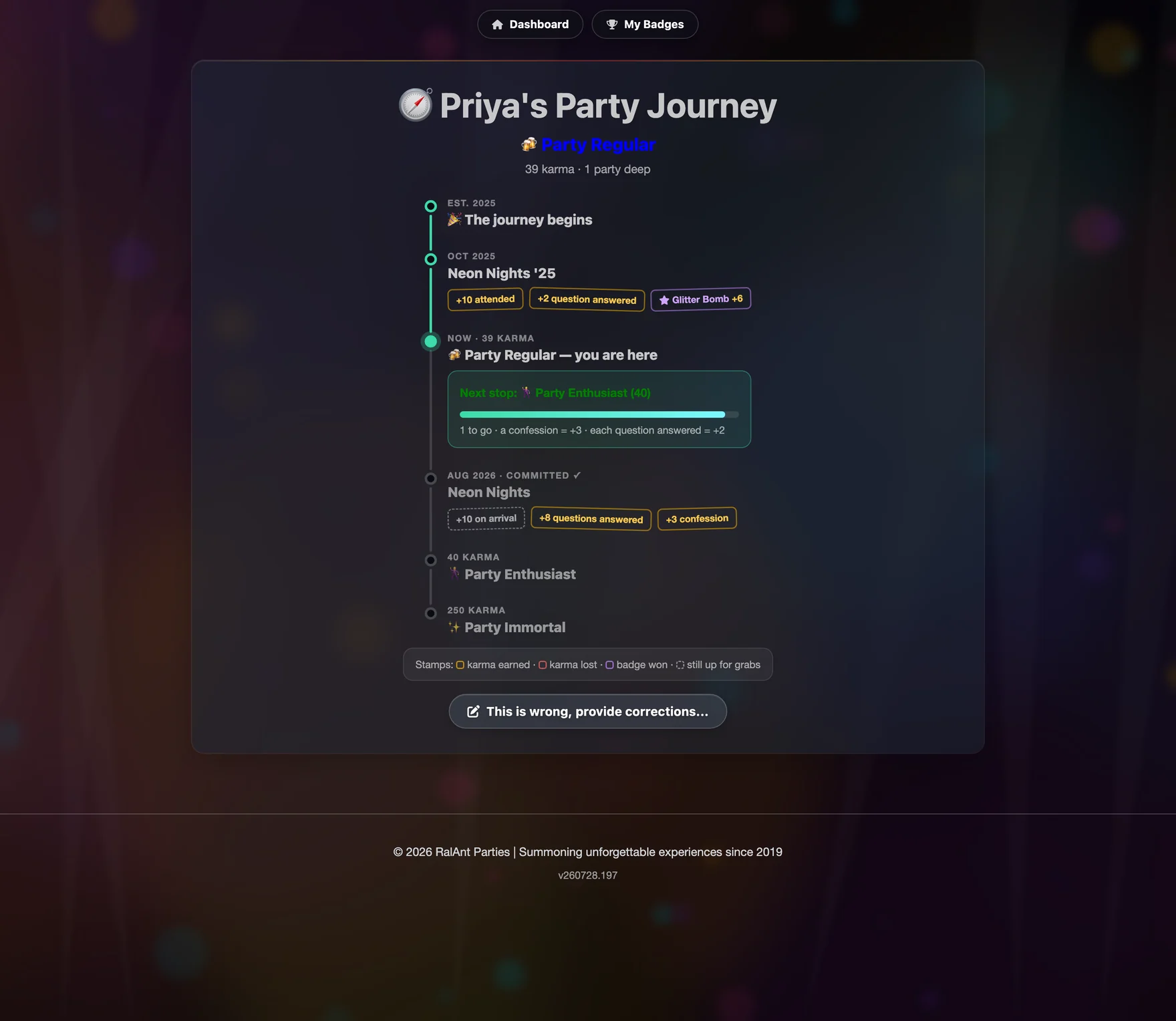
  • Party Journey — every party they've been on the list for, what they earned at each, and what's still available at the next one.
  • Leaderboard — the whole community ranked, with a podium.
  • Corrections — a form for arguing about it, because someone always will.
A guest's Party Journey showing each party as a stop
Party Journeyall-time
A guest's trophy cabinet on a phone
Trophy cabinetphone

Optional extra

And if they want to
get properly silly.

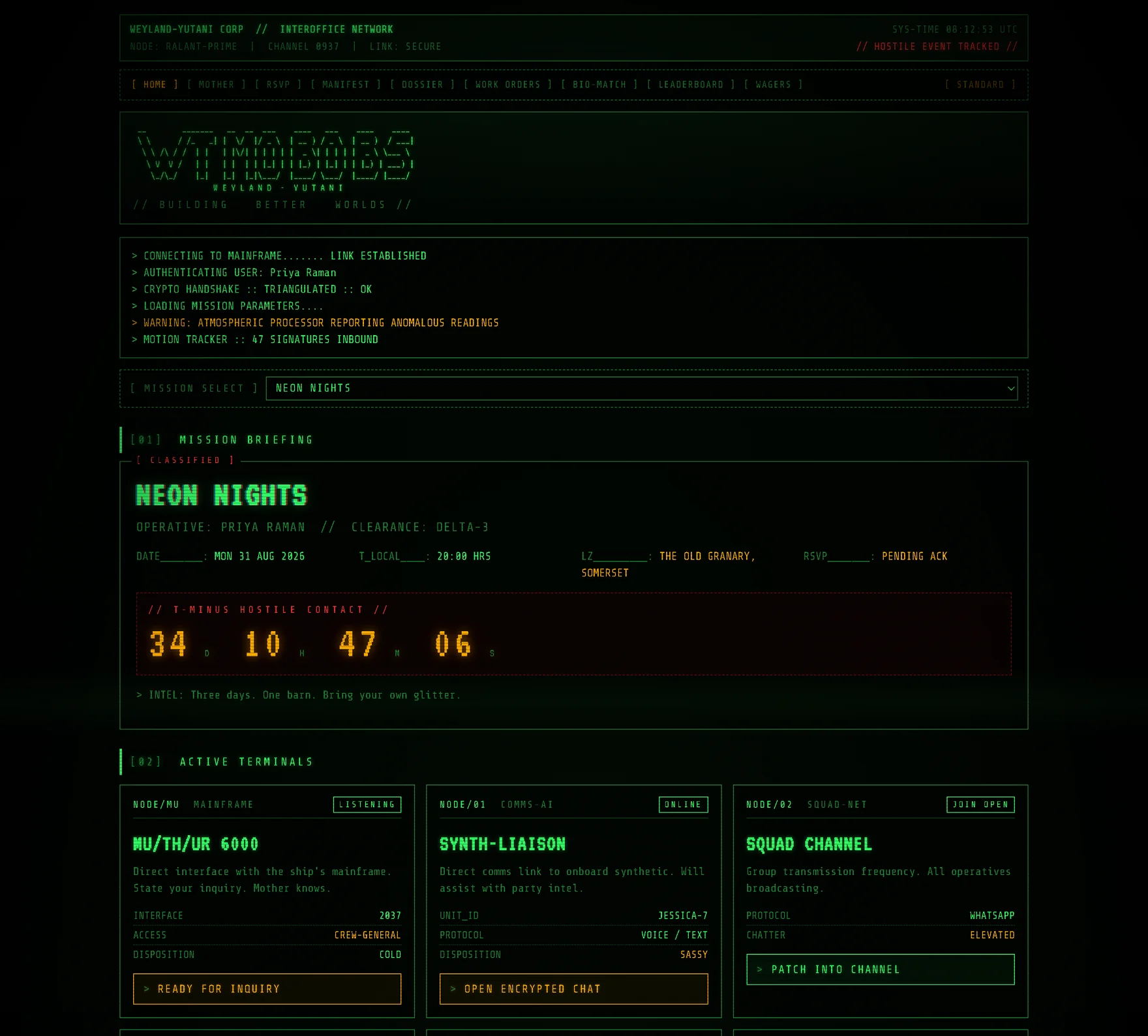
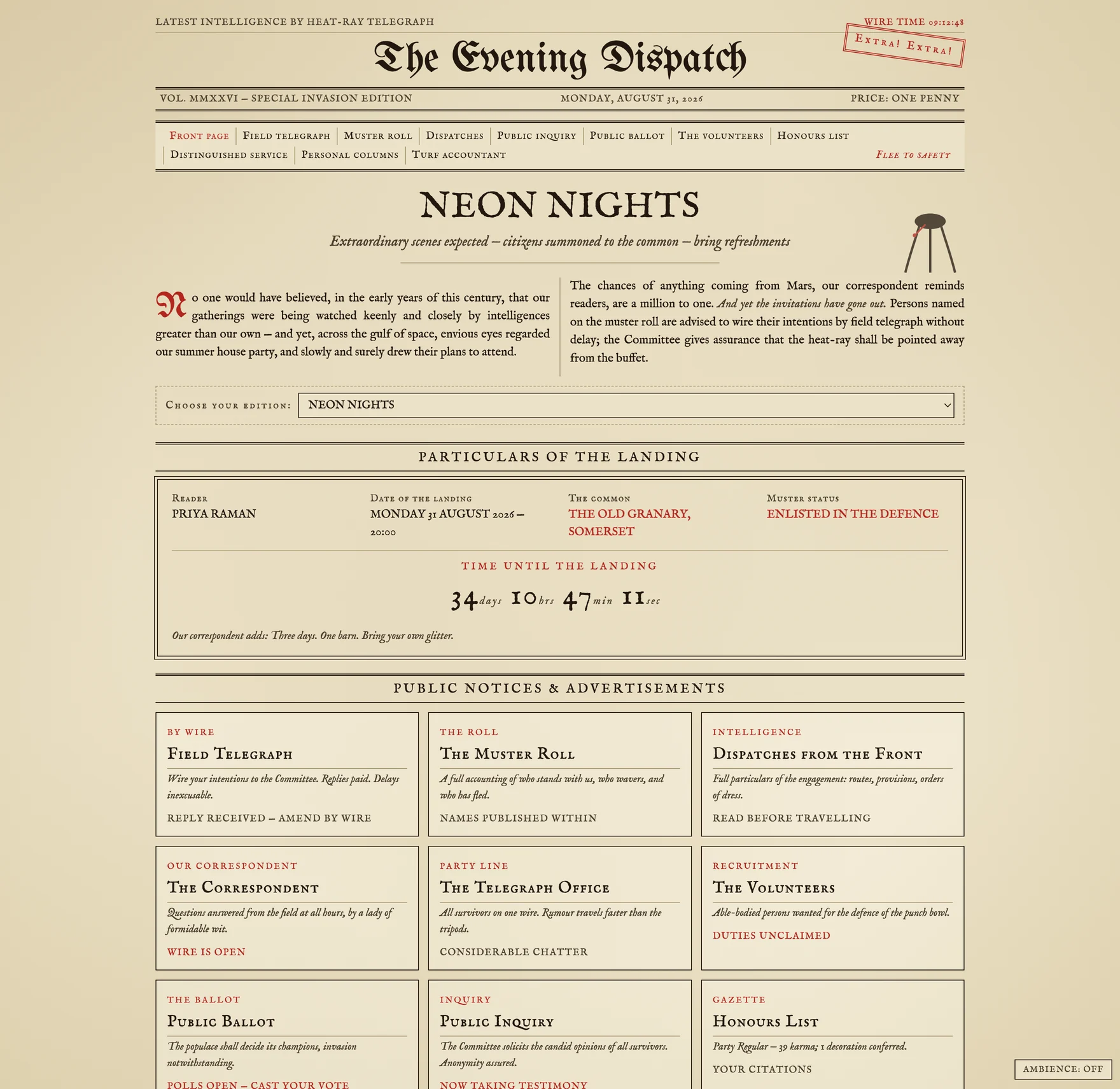
One tile on the dashboard hands the whole guest experience over to a theme. Every page they can visit gets rewritten — the RSVP wording, the countdown, the leaderboard, the badges. Two of them come with someone to talk to.

The guest dashboard reskinned as a green phosphor terminal
Same dashboardMU/TH/UR
The trophy cabinet reskinned as an FBI case file
Same trophy cabinetX-Files
The party hub as an 1898 broadsheet
Same party1898

That's their side

Now see what
you get.